
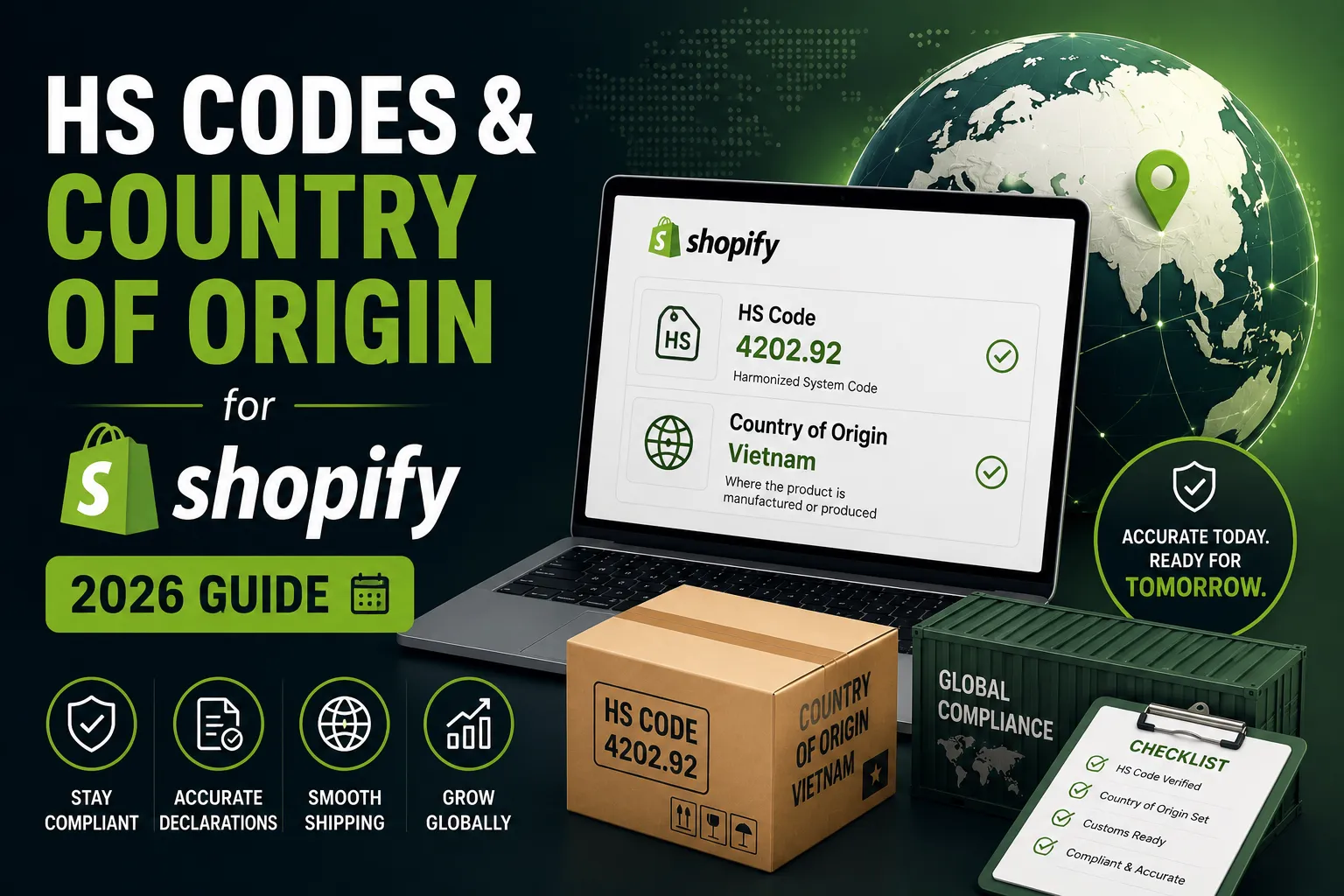
HS Codes & Country of Origin for Shopify: The Complete 2026 Compliance Guide
HS codes and country of origin used to be fields most Shopify merchants left blank. In 2026 they decide whether your parcels clear customs, what your customers pay in duties, and whether your checkout estimates are even close. This guide covers everything: what changed, what the two fields actually mean, how to find your codes, and the three ways to add them across your catalog.
This is general information, not legal or customs advice.
What changed, and why does this matter now?
The short answer: duty-free thresholds are disappearing. The US ended its de minimis exemption for all countries on August 29, 2025, and the EU’s €150 exemption ends July 1, 2026.
For years, low-value shipments crossed borders duty-free under de minimis rules — under $800 into the US, under €150 into the EU. That cushion is gone:
- US: duties and import taxes now apply to all US imports, regardless of shipment value, from every country. The suspension was confirmed again by executive order in February 2026.
- EU: from July 1, 2026, low-value parcels pay a €3 flat-rate duty per consignment line item, with a €2 handling fee expected by November 1, 2026 — and full HS-code-based duties planned once the EU Customs Data Hub launches around 2028.
Duties are calculated from two product fields: the HS code (what the product is) and the country of origin (where it was made). Shopify now advises merchants shipping internationally to add both to all their products — individually, in bulk, or via CSV — alongside reviewing pricing, collecting duties at checkout, and updating shipping policies. The full story, including who’s affected and the complete action list, is in our breakdown: Shopify De Minimis Changes 2026: What Merchants Need to Do Now.
What is an HS code?
An HS code is a standardized international trade code — usually six digits — that describes what a product is. The Harmonized System is maintained by the World Customs Organization and used by nearly every trading country, which makes it the closest thing global commerce has to a universal product language.
The six digits break down hierarchically: the first two identify the chapter (say, apparel), the middle two the heading within it, and the last two the subheading. Countries can extend the code with extra digits for their own tariff schedules — the US version is the 10-digit HTS code. If you sell into the US, the difference matters: HS Code vs HTS Code: What Shopify Sellers Need to Know.
In Shopify, the HS code lives in the Shipping section of each product (per variant), and Shopify uses it to estimate duties at checkout when you collect them.
What is country of origin?
Country of origin (COO) is where a product was created or assembled into the form you sell it in — not where you ship it from, and not where your business is registered.
A table made from imported materials but assembled in the United States has a US country of origin. A T-shirt sewn in Bangladesh and warehoused in Canada still originates in Bangladesh.
This field matters more than most merchants realize, because tariffs are applied by origin. Whether a tariff hits your shipment is determined by the product and where it was made — not where the seller is located. Trade agreements work the same way: a product with the right origin and documentation can qualify for reduced USMCA or EU-UK rates.
What happens if these fields are missing?
Missing or wrong HS codes and origin data lead to three predictable problems: held parcels, wrong duty charges, and compliance penalties.
Per Shopify’s documentation, if a product has no HS code, duty estimates fall back to the product description and category. If those are missing too, no duties are calculated at checkout at all — your customer gets billed at the door instead, often with carrier brokerage fees stacked on top. At the border, unclassified or misclassified goods can be delayed, returned, seized, or denied entry.
If your parcels are already getting stuck, start here: Why Are My Parcels Getting Held at Customs? (And How to Fix It).
How do you find the right HS codes for your products?
Start with the official tariff lookup for your destination market, and lean on the fact that similar products share codes.
- US: search hts.usitc.gov, the official USITC database. Search broad (“candle”, “T-shirt”), then narrow through chapter → heading → subheading.
- In Shopify: on any product page, start typing a product description in the HS code field and Shopify suggests matching codes.
- Carriers and tools: DHL, FedEx, Avalara, and Zonos offer HS lookup services.
- Complex products: mixed materials, kits, and borderline categories are where misclassification penalties live. For those, a licensed customs broker — or a binding ruling from the customs authority — is worth it.
The practical shortcut: products in the same collection almost always share a code. Classify one candle correctly and you’ve classified the whole candle collection. That’s also what makes bulk editing by collection so much faster than product-by-product entry.
What are the 3 ways to add HS codes and country of origin in Shopify?
You can add both fields manually per product, via the inventory CSV, or with a bulk-editing app. The right choice depends almost entirely on catalog size.
Method 1: Manually, on each product page
Open the product, scroll to Shipping, select the country of origin from the dropdown, and enter the HS code. Fine for a handful of products; not realistic for hundreds. Shopify also has a built-in bulk editor (select products → Bulk edit → add the Harmonized System code and Country of origin columns), which helps for small batches but still means manual selection and hand entry.
Method 2: Inventory CSV export/import
The HS Code and COO columns live in Shopify’s inventory CSV — not the product CSV, a gotcha that catches many merchants. Export from Products > Inventory, fill in codes per variant (origin as two-letter ISO codes like CN or US), leave the stock columns untouched, and re-import. It works, but it’s a multi-step round-trip in a file that also controls your inventory levels — one stray value can overwrite stock.
Method 3: A bulk-editing app
HS Code & Origin Bulk Editor applies HS codes and country of origin by collection, vendor, or product type, directly in the Shopify admin — no CSV export-import cycle, no product-by-product clicking. Filter the collection, enter the code and origin, apply. Paid tiers add update history, scheduled automatic updates, custom rules, and multi-collection batches for catalogs where compliance is ongoing, not a one-time fix.
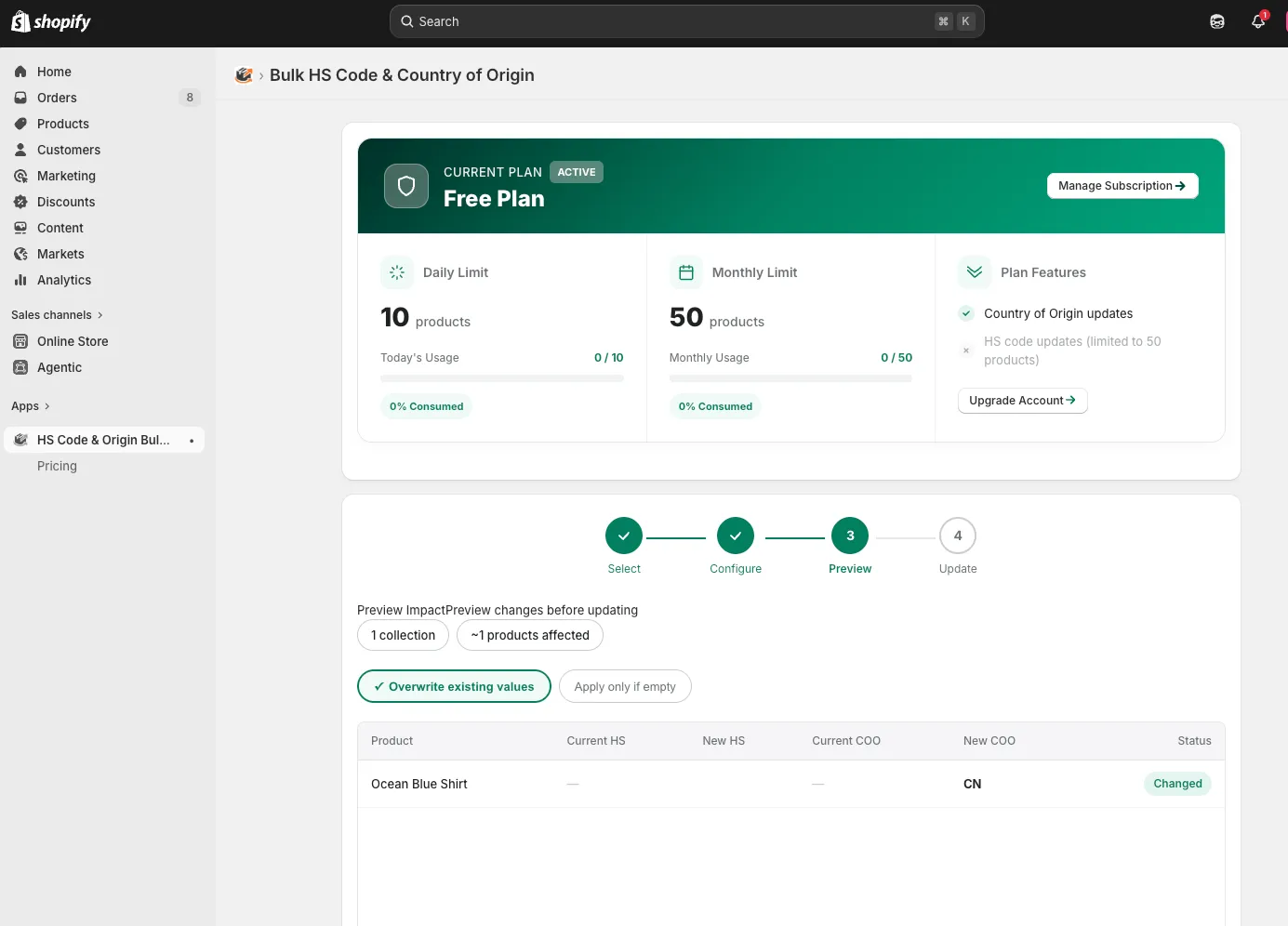
We compare all three methods in detail, with steps and honest limits, in How to Bulk Add HS Codes to Shopify Products (3 Methods Compared) and the companion guide How to Add Country of Origin to Shopify Products in Bulk.
What else should you set up in Shopify?
Adding the product data is step one. Then decide how duties get paid.
- Collect duties at checkout (DDP). Customers see one final price; no surprise fees at delivery. Shopify calculates the estimate from your HS codes and origin data — which is why those fields must be right first.
- Or let customers pay on delivery (DAP). Simpler for you, but carriers often add collection fees, and surprise charges are a top reason parcels get refused.
- Review pricing. Decide whether you absorb new duty costs or pass them through.
- Update shipping and returns policies to say who pays duties, and test your checkout as a US or EU customer would see it.
- Check preferential treaties. Shopify includes free trade agreements like USMCA in duty calculations by default. If a treaty applies, customs may ask for a certificate of origin to validate the product’s origin — one more reason that field has to be accurate.
What are common mistakes to avoid?
Most compliance problems trace back to a handful of avoidable errors.
- Classifying by duty rate instead of by product. Always use the code that best describes the product as imported — picking the cheaper code is the mistake that turns into penalties. US law requires “reasonable care” in classification, and the importer carries the liability even when a tool suggested the code.
- Confusing ship-from location with origin. A product fulfilled from a US 3PL but manufactured in China has China as its origin. Dropshippers hit this constantly.
- Copying codes from old invoices. Tariff schedules change multiple times a year. A code that was right when you sourced the product may have moved.
- Updating once and forgetting new products. Compliance decays as the catalog grows. Every new product upload needs both fields — either as part of your upload process or via scheduled automatic updates.
- Leaving variants inconsistent. HS codes and origin are set per variant. If variants differ materially (leather vs. canvas), classify them separately; otherwise keep them identical.
FAQ
Are HS codes required for Shopify products?
If you ship internationally, yes — Shopify states HS codes are required for international orders. Without them, duty estimates fall back to product descriptions and categories, and if those are missing too, no duties are calculated at checkout at all.
What’s the difference between an HS code and an HTS code?
An HS code is the global six-digit standard maintained by the World Customs Organization. An HTS code is the 10-digit US version: the same six digits plus four US-specific digits that set exact duty rates. Shopify’s HS code field takes the six-digit code, with optional country-specific extensions.
How do I know my product’s country of origin?
It’s the country where the product was created or assembled into the form you sell — not where you ship from or where your business is registered. A bag manufactured in Vietnam and fulfilled from a US warehouse has Vietnam as its country of origin.
Can I add HS codes and country of origin to all products at once?
Yes. Shopify’s built-in bulk editor handles small batches, the inventory CSV handles full-catalog updates via spreadsheet, and HS Code & Origin Bulk Editor applies both fields by collection, vendor, or product type in a few clicks without a CSV round-trip.
Do de minimis changes affect me if I’m a US merchant?
If you manufacture, stock, and ship entirely within the US, largely no. But if you dropship or fulfill from overseas, your shipments are imports — duties are determined by each product’s country of origin, not your business address.
What happens if I use the wrong HS code?
At best you overpay duties; at worst shipments are delayed, seized, or penalized. Always classify by what the product actually is, keep records of how you classified it, and consult a customs broker for ambiguous products.
This is general information, not legal or customs advice. Customs rules change — verify current requirements with official sources or a licensed customs broker.
Sources
- Shopify Help Center: Duties and import taxes
- Shopify Help Center: Adding HS codes to your products
- Shopify Blog: HTS Codes Classification Guide
- White House: Continuing the Suspension of Duty-Free De Minimis Treatment (Feb 2026)
- European Commission: €150 customs duty exemption removal
- USITC Harmonized Tariff Schedule
 Sharfaraz Ahmed


