
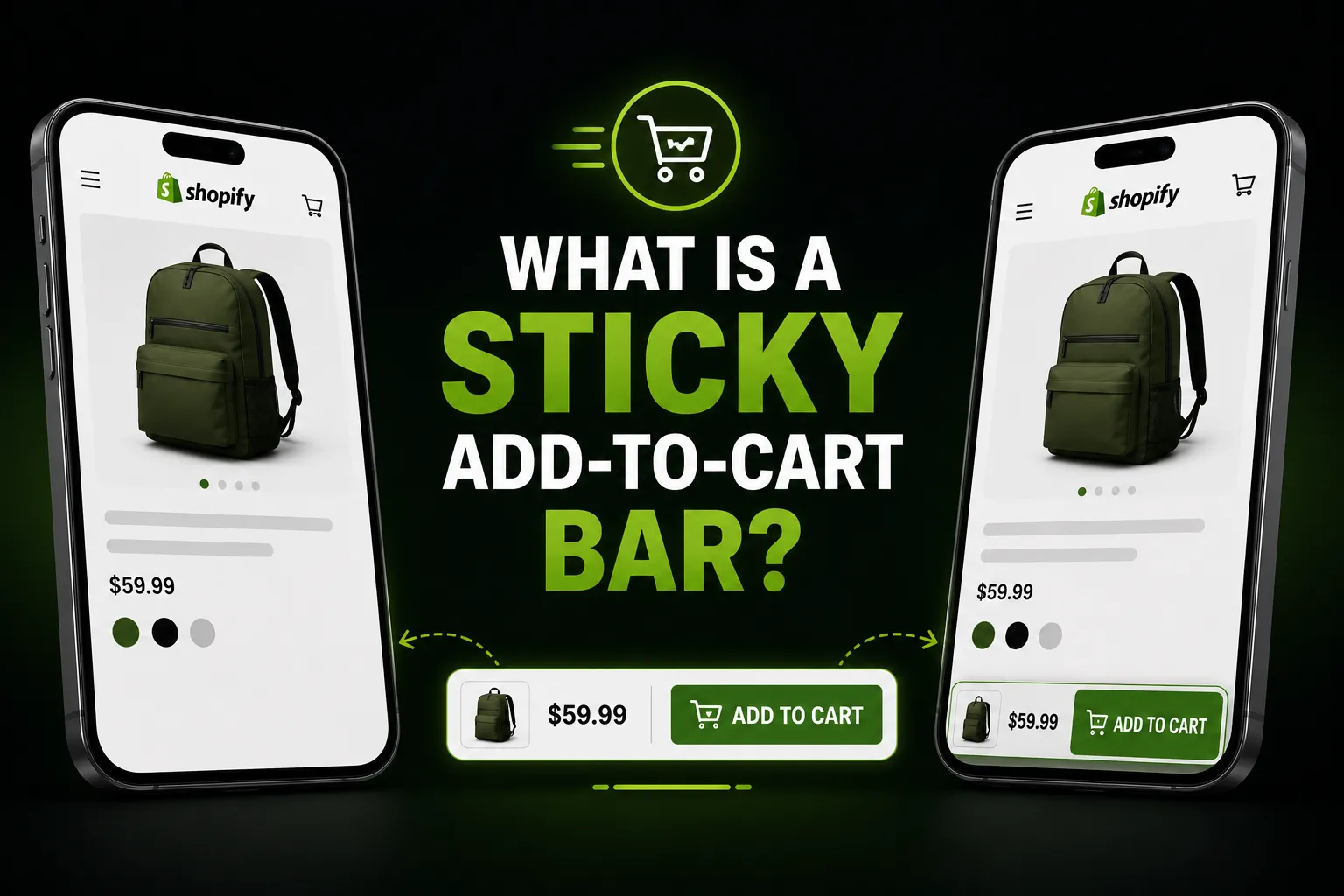
What Is a Sticky Add-to-Cart Bar? (And Does It Actually Boost Conversions?)
A sticky add-to-cart bar is a persistent button or panel that stays fixed on screen as a shopper scrolls through a product page — so the option to buy is always visible, not buried somewhere above or below the fold. This article explains exactly how it works, when it genuinely helps, and what honest expectations look like.
What Does “Sticky” Mean in This Context?
“Sticky” refers to an element that stays in a fixed position relative to the viewport — it doesn’t scroll with the rest of the page content. On a product page, the standard add-to-cart button is part of the page layout: once a customer scrolls past it, it’s gone. A sticky bar avoids that entirely by sitting outside the normal page flow, typically pinned to the top or bottom of the screen at all times.
The bar usually contains:
- The product name or image thumbnail (so customers know what they’re adding)
- A variant selector (size, colour, etc.) that stays in sync with the selector on the page
- A quantity picker
- An “Add to Cart” button
- Sometimes a “Buy Now” button for direct checkout
Why Do Shoppers Leave Without Buying — and How Does This Help?
The core problem a sticky bar addresses is scroll-based friction. On a product page with detailed descriptions, size guides, customer reviews, or lots of images, the add-to-cart button can end up a long way from where the customer finishes reading. Having to scroll back up to buy introduces a small moment of hesitation — and on mobile, that small friction is amplified.
This is particularly noticeable on mobile, where the gap between where customers read and where the ATC button lives can be significant. According to research by Baymard Institute, mobile shoppers face more usability issues on product pages than desktop users, and addressing common friction points is one of the most reliable ways to improve the mobile shopping experience.
A sticky bar doesn’t solve deep product page problems (poor photos, unclear pricing, lack of trust signals). But for stores where customers are clearly engaged — scrolling, reading, staying on the page — it removes the small mechanical barrier of having to navigate back to the buy button.
Where Does a Sticky Add-to-Cart Bar Help Most?
A sticky bar tends to have the most impact in specific scenarios:
Long product pages. If your product description runs long — detailed specs, care instructions, size guides, ingredient lists — the original ATC button can be far above where the customer finishes reading. A sticky bar keeps the next step visible throughout.
Mobile product pages. On a 375px screen, even a moderately long product page requires significant scrolling. Mobile already converts at a lower rate than desktop on average (roughly 2–3% vs 3–4%, per aggregated ecommerce data), and anything that reduces unnecessary taps or navigation helps. See Why Mobile Shoppers Abandon Shopify Product Pages for a deeper look.
Products with variants. When the sticky bar includes a synced variant selector, customers can change size or colour without scrolling back to the top — a meaningful UX improvement on mobile.
Stores with strong product pages otherwise. A sticky bar is a friction-reducer, not a trust-builder. If visitors aren’t converting because the product photos are unclear, the price feels off, or there are no reviews, fixing those is more impactful. The sticky bar works best when customers are already engaged and just need an easy path to the cart.
Where Does It NOT Help?
Stores with short product pages. If your entire product page fits in one screen, the ATC button is already visible. A sticky bar adds visual clutter without solving a real problem.
Pages where trust is the bottleneck. If customers are leaving because they don’t trust the store — no reviews, unclear returns policy, unknown brand — a more prominent buy button won’t change that.
When the bar is poorly designed. A sticky bar that covers important content, overlaps with chat widgets, or renders incorrectly on mobile can hurt the experience rather than improve it. Poor implementation is worse than no implementation.
Does a Sticky Add-to-Cart Bar Actually Boost Conversions?
Honestly: it depends on your store, your product pages, and your traffic. There is no universal conversion-lift figure for sticky bars — any specific percentage you see cited online (e.g. “boosts conversions by 30%”) is almost certainly unsourced or drawn from a single store’s data that doesn’t generalise.
What is clear is the mechanism: if a customer has decided they want to buy but has to do extra navigation to complete the action, some of them won’t bother. The sticky bar eliminates that navigation step. Whether that changes your specific conversion rate — and by how much — depends on how much scroll-based friction your current pages have and how engaged your visitors already are.
The most reliable way to know is to try it on your store, track the add-to-cart rate before and after, and compare across equivalent traffic periods.
How Do You Add One to Shopify?
There are two routes: editing your theme code manually (Liquid, CSS, and JavaScript), or installing a purpose-built app that handles it through Shopify’s theme extension system.
The manual approach is viable for developers but comes with real downsides: the code needs to be reapplied after theme updates, mobile behaviour needs custom tuning, variant sync requires additional JavaScript, and there’s no built-in analytics. For a detailed walkthrough of both methods and an honest comparison, see How to Add a Sticky Add-to-Cart Button to Shopify.
The app route is faster and safer for most merchants. Sticky Add To Cart – CartLift is a focused example: it installs via a theme extension (no Liquid editing), includes variant selection, a quantity picker, a Buy Now option, and built-in analytics so you can see whether the bar is actually being used. The bar’s colours, position, and styling are all configurable to match your theme. There’s a 7-day free trial.
For a broader view of all the ways to improve your add-to-cart rate — not just the sticky bar — see How to Boost Your Shopify Add-to-Cart Rate.
Frequently Asked Questions
What is a sticky add-to-cart bar? A sticky add-to-cart bar is a persistent button or panel that stays fixed on screen as a shopper scrolls through a product page, so the option to add to cart is always visible without scrolling back up. It typically includes the product name, variant selector, quantity picker, and an add-to-cart button.
Does a sticky add-to-cart bar work on mobile? Yes — and mobile is where it tends to matter most. Mobile product pages require more scrolling, and the original ATC button is often far from where a customer finishes reading. A well-built sticky bar is sized and positioned for small screens specifically. Just make sure any app or implementation you use is tested on mobile, not just desktop.
Will a sticky add-to-cart bar definitely increase my conversions? Not guaranteed — it depends on your store. A sticky bar reduces a specific type of friction (having to scroll back to the buy button), which helps stores with long product pages and engaged visitors. It won’t fix trust issues, unclear pricing, or poor product imagery. The only reliable answer is to test it on your own store and measure.
How is a sticky add-to-cart bar different from a cart drawer? They serve different moments. A sticky add-to-cart bar is on the product page — it keeps the buy button visible as you scroll. A cart drawer is a slide-out panel that shows items already added to the cart, typically triggered after the add-to-cart action. Some stores use both.
Can a sticky bar handle product variants (size, colour, etc.)? Yes, if it’s built correctly. A good implementation (or a purpose-built app) keeps the variant selector in the sticky bar in sync with the one on the page — so the customer doesn’t have to scroll back up to change their selection before adding to cart.
Do I need to edit my Shopify theme to add a sticky bar? If you use a theme app extension, no — the app adds the bar without touching your theme files. Manual implementations do require editing Liquid, CSS, and JavaScript, and those changes need to be reapplied after theme updates.
 Sharfaraz Ahmed


