
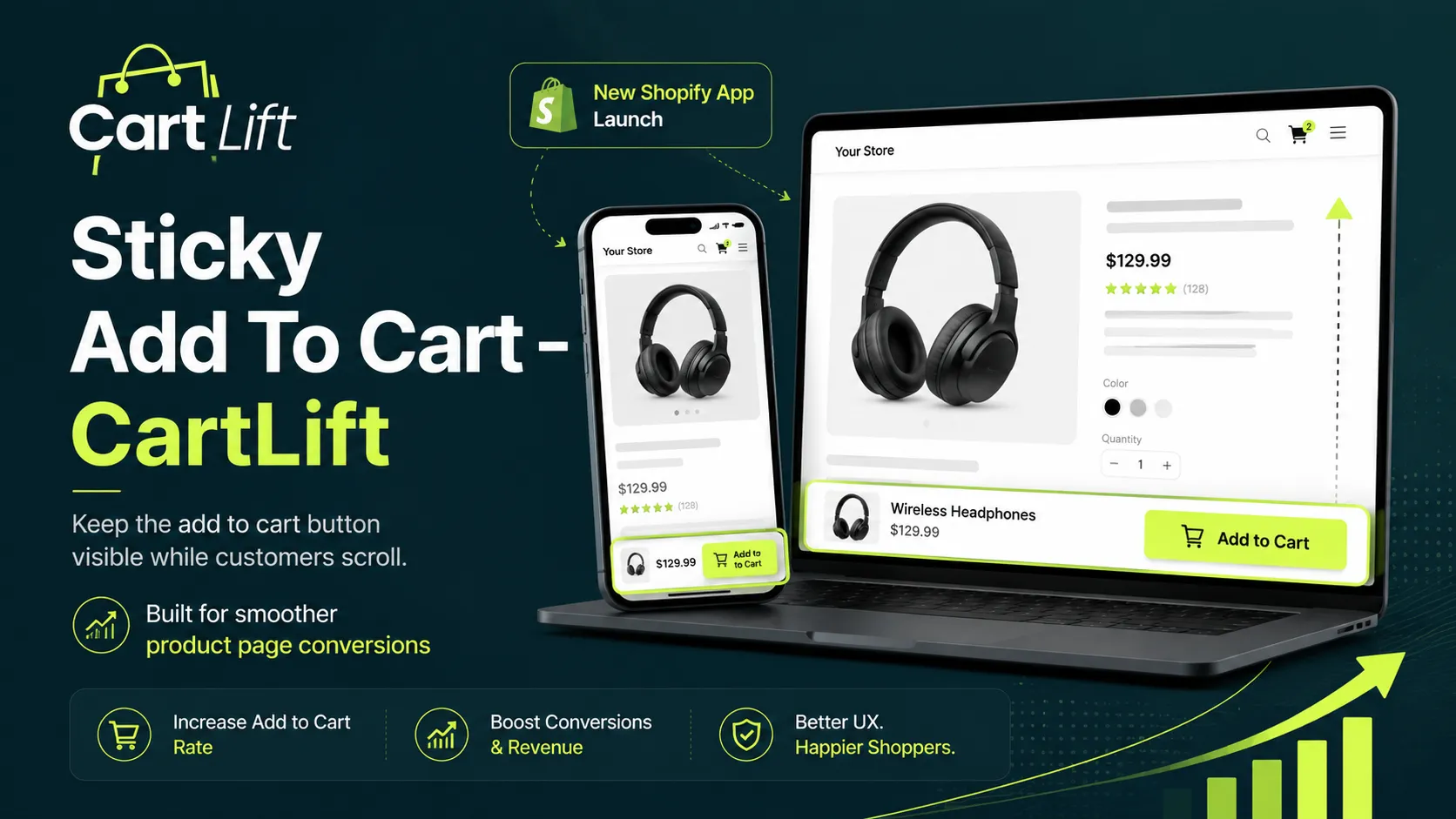
One common issue many Shopify stores face is that the main Add to Cart button disappears as customers scroll down the product page. At first, this may not seem like a serious problem. After all, the button is already there near the top of the page. But customers do not always make a buying decision immediately. Many of them scroll through the full product page before they feel ready to buy.
By the time they finish reading product details, checking reviews, or looking at delivery information, the Add to Cart button may be far above them. Now they need to scroll back up just to take action. That extra step may look small, but in ecommerce, small delays can create hesitation. And hesitation can easily turn into a missed sale.
This is where a sticky add to cart bar becomes useful. It keeps the buying action visible while customers scroll, so they can add the product to cart whenever they are ready.
What Is a Sticky Add to Cart Bar?
A sticky add to cart bar is a fixed purchase bar that stays visible on the product page while a customer scrolls. It usually appears at the bottom of the screen, especially on mobile devices, and includes the most important buying action: the Add to Cart button.
Some sticky bars may also show the product name, price, quantity selector, variant option, or quick buy button. The purpose is simple: reduce the distance between customer interest and customer action.
Instead of forcing shoppers to scroll back to the original product form, the sticky bar keeps the purchase button available throughout the page. This creates a smoother buying experience and helps customers take action at the moment they feel ready.
Why Shopify Product Pages Need a Sticky Add to Cart Button
Modern product pages are often longer than before. Brands now include product benefits, lifestyle images, size guides, shipping details, FAQs, reviews, trust badges, and return information. These sections are important because they help customers feel confident before buying.
But there is also a problem. The longer the product page becomes, the more likely it is that the Add to Cart button will disappear from view while the customer is still making a decision.
A customer may become convinced after reading reviews near the bottom of the page. Another customer may decide to buy after checking delivery details. Someone else may feel confident after reading the FAQ section. If the Add to Cart button is not visible at that moment, the buying journey becomes less direct.
A sticky add to cart bar solves this by keeping the most important action available at the right time. It does not disturb the browsing experience. It simply makes the next step easier.
This is why sticky add to cart features are commonly used by Shopify merchants who want to improve product page usability and reduce unnecessary friction during the buying journey.
Why It Matters More for Mobile Shoppers
Sticky add to cart bars are especially useful for mobile shopping. On mobile, screen space is limited and customers scroll much more than they do on desktop. They move quickly through product images, descriptions, reviews, and other content. If the purchase button is hidden far above the current screen, many customers may lose momentum.
Mobile users also expect convenience. They do not want to search for the next step. They want a clear, simple path to action. A sticky add to cart bar keeps the button within reach and makes the product page feel easier to use.
For stores where a large percentage of traffic comes from mobile devices, this small improvement can make the buying journey feel much smoother. If you are working on improving your store’s conversion rate, you may also find our guide on Shopify CRO tips to boost sales and maximize revenue helpful.
How a Sticky Add to Cart App Works
A sticky add to cart app adds a fixed purchase bar to your Shopify product pages. When a customer scrolls past the main product form, the sticky bar appears and stays visible as they continue browsing.
The customer can keep reading the product page without losing access to the buying button. When they are ready, they can add the product to cart directly from the sticky bar.
This is helpful because customers often make buying decisions after they have gathered enough information. A sticky bar supports that behavior instead of forcing them to go back and find the button again.
The result is a cleaner product page experience, especially for longer pages and mobile-first stores.
Introducing Sticky Add To Cart – CartLift
To help Shopify merchants create this smoother buying experience, eComFixR built:
Sticky Add To Cart – CartLift for Shopify
Sticky Add To Cart – CartLift is a Shopify app designed to keep the Add to Cart button visible while customers scroll through product pages. It helps merchants make the buying journey faster, easier, and more convenient without needing a complete redesign of the store.
The app is built for stores that want to reduce product page friction and make the purchase action easier to access. Whether a customer is browsing from desktop or mobile, CartLift keeps the buying action available when it matters.
Instead of making customers search for the purchase button, CartLift keeps the next step clear and ready. That means customers can continue reading, comparing, and building confidence without losing access to the buying action.
How CartLift Helps Shopify Merchants
CartLift helps Shopify merchants by improving one of the most important parts of the product page: the moment when the customer is ready to buy.
The app keeps the Add to Cart button visible while customers scroll, which means shoppers do not have to return to the top of the page to take action. This can make the product page feel faster and more user-friendly.
For mobile shoppers, CartLift adds a sticky quick buy experience that keeps the purchase action within reach. This is useful because many mobile users scroll deeply before deciding. When the button is always visible, the buying flow becomes much simpler.
CartLift also allows merchants to customize the sticky bar so it matches the store design. The colors, styles, and button layout can be adjusted to fit the brand. This means the sticky bar does not feel like a random extra feature. It becomes a natural part of the store experience.
Key Features of Sticky Add To Cart – CartLift
Always Visible Add to Cart Button
CartLift keeps the Add to Cart button visible while customers scroll through the product page. This means shoppers can take action at any point without needing to scroll back to the original product form.
This is especially useful for long product pages with descriptions, reviews, FAQs, or detailed product information.
Mobile-Optimized Sticky Bar
The app includes a mobile-friendly sticky bar designed to improve the shopping experience on smaller screens.
Since many Shopify customers browse and buy from mobile devices, keeping the purchase action visible can make the product page easier to use and more effective.
Quick Buy Button
CartLift also supports a quick buy experience, helping customers move faster from product interest to purchase.
For customers who already know what they want, this reduces unnecessary steps and creates a more direct buying flow.
Customizable Design
Every Shopify store has its own brand style. CartLift allows merchants to customize colors, styles, and button layout so the sticky bar matches the store design naturally.
This helps the sticky add to cart bar feel like a part of the store instead of a random extra element.
Smooth Cart Actions
CartLift is designed to make cart actions simple and convenient. By keeping the purchase button visible and easy to access, merchants can create a cleaner path from browsing to adding products to cart.
When Should a Store Use a Sticky Add to Cart Bar?
A sticky add to cart bar is useful for any Shopify store where customers scroll before buying. It is especially helpful for stores with long product pages, detailed descriptions, reviews, size guides, delivery information, or FAQ sections.
Fashion stores can use it to keep the buying button visible while customers check sizes and product details. Beauty and skincare brands can use it while customers read ingredients, benefits, and reviews. Baby product stores can use it while parents check safety details and product information. Electronics stores can use it while customers compare specifications.
It is also helpful for single-product stores and COD-based stores where the buying journey needs to be fast and simple.
If your customers usually scroll through your product page before making a decision, a sticky add to cart bar can help make the next step easier.
Sticky Add to Cart vs Normal Product Page Experience
| Normal Product Page | With Sticky Add To Cart – CartLift |
|---|---|
| Add to Cart button disappears while scrolling | Add to Cart button stays visible |
| Customers need to scroll back to buy | Customers can take action instantly |
| More friction on mobile | Smoother mobile shopping experience |
| Purchase action can be missed | Buying action stays clear and accessible |
| Long product pages feel less direct | Product page becomes more conversion-focused |
A sticky add to cart bar does not change the entire store. It improves one of the most important moments in the customer journey: the moment when the customer is ready to buy.
Why This Can Support Better Product Page Conversions
Product page conversion depends on many things: product quality, pricing, images, reviews, trust, offers, delivery options, and overall design. But even when all of those elements are strong, the buying action still needs to be easy.
A sticky add to cart bar helps by keeping the final action visible. It reduces the gap between interest and purchase. When the customer is ready, the button is already there.
This does not force people to buy. It simply makes it easier for interested customers to continue. That is why a sticky add to cart feature can be a smart conversion improvement for Shopify stores.
For growing stores, improving conversion is not always about changing the full website. Sometimes, improving one key action on the product page can make the buying journey feel smoother and more direct.
Why CartLift Is Useful for Growing Shopify Stores
As a Shopify store grows, the product page becomes more important. More traffic means more opportunities, but it also means the store needs to remove as much friction as possible from the customer journey.
If visitors are coming from ads, social media, search, or email campaigns, merchants are already spending time and money to bring them to the product page. Once they arrive, the buying experience should be simple.
CartLift helps merchants make better use of that traffic by keeping the purchase action visible. It supports the customer while they browse and gives them an easy way to take action when they are ready.
This is especially important for stores with longer product pages, mobile-first audiences, or customers who need more information before buying.
Who Can Benefit From CartLift?
Sticky Add To Cart – CartLift can be useful for many types of Shopify stores. It is especially helpful for:
- Fashion stores
- Beauty and skincare brands
- Baby product stores
- Electronics and gadget shops
- Home and lifestyle brands
- Single-product stores
- COD-based Shopify stores
- Mobile-first ecommerce stores
- Stores with long product pages
- Stores with detailed product descriptions or reviews
If your Shopify store also has a large product catalog, you may find our guide on bulk editing Country of Origin in Shopify products useful for simplifying product data management.
Final Thoughts
A sticky add to cart bar may look like a small feature, but it solves a real problem on Shopify product pages. Customers often scroll before they decide to buy, and if the Add to Cart button disappears during that journey, the store adds unnecessary friction.
Sticky Add To Cart – CartLift helps merchants keep the purchase button visible, improve mobile shopping, and create a smoother product page experience. It is simple, practical, and focused on making the buying journey easier for customers.
If your Shopify product pages are long, mobile traffic is high, or customers need to read details before buying, CartLift can help keep the purchase action available at the right moment.
Because when customers are ready to buy, your store should make the next step easy.
Try Sticky Add To Cart – CartLift
🚀 Keep the Add to Cart button visible while customers scroll
🚀 Improve mobile shopping with a sticky quick buy button
🚀 Customize colors, styles, and button layout to match your store
🚀 Create a smoother product page buying experience
🚀 Pricing starts at only $8
 Tazul Hossain Shanto


